How to make ecommerce website in wordpress step by step: Ultimate guide 2026
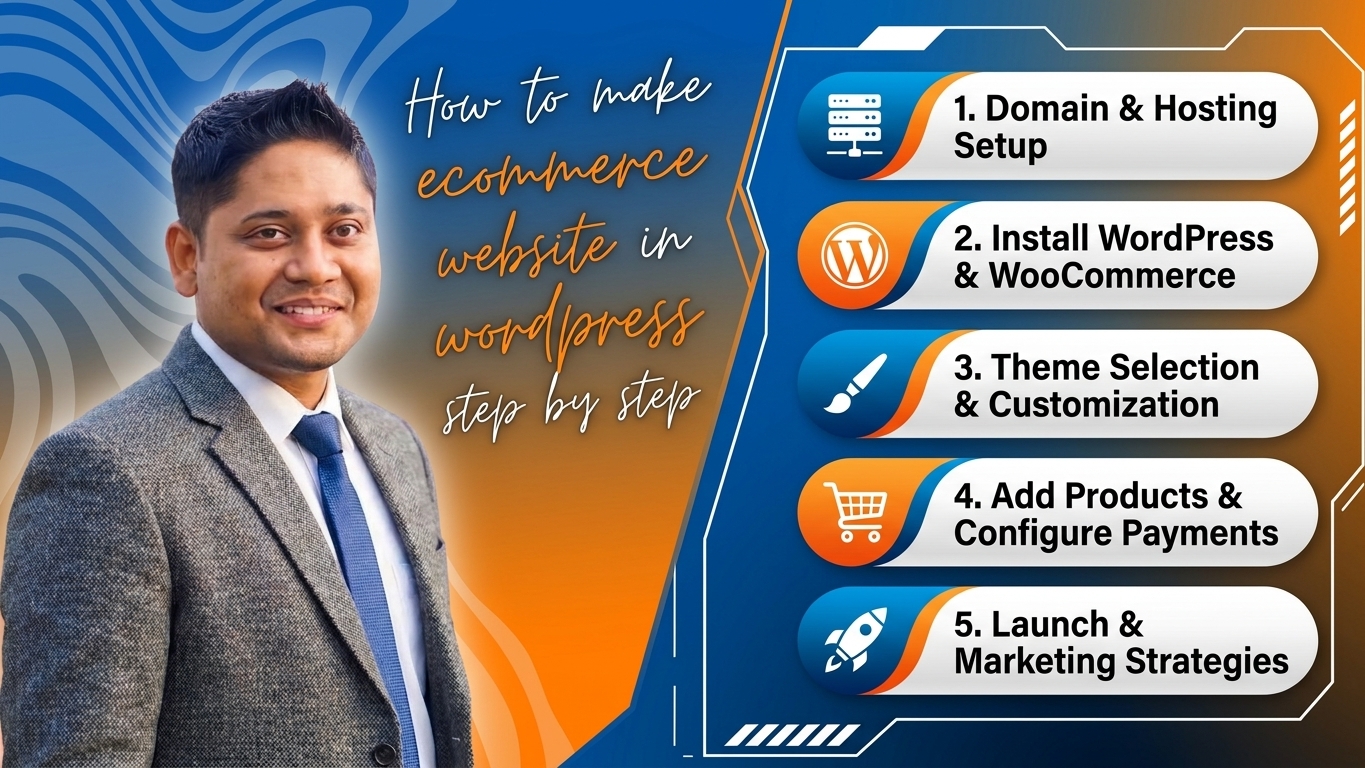
Welcome to the ultimate step-by-step masterclass designed specifically for creators, entrepreneurs, and business owners in Bangladesh looking to launch a high-converting online store at siddiquedigital.com. E-commerce in Bangladesh is experiencing an unprecedented digital revolution. With widespread mobile financial services (like bKash, Nagad, and Rocket), booming internet penetration, and a rapidly expanding digital consumer base, there has never been a more lucrative time to sell products online.
While hiring a professional web development agency can cost tens of thousands of Taka, building your own e-commerce store using WordPress and WooCommerce gives you 100% control, minimal startup costs, infinite customization, and exceptional SEO potential—all without writing a single line of complex code.
In this exhaustive, comprehensive guide tailored for siddiquedigital.com, we will walk you through every single phase of building, securing, optimizing, and launching your WordPress e-commerce website from scratch. Grab a notebook, and let’s turn your digital business vision into a reality!
Part 1: Foundations & Planning Your E-Commerce Store
Before touching any software or purchasing hosting, meticulous planning sets the stage for long-term digital success.
1. Defining Your Niche and Business Model
In the vibrant Bangladeshi digital marketplace, trying to sell everything to everyone often results in selling nothing to nobody. Focus on a clear niche:
- Physical Goods: Clothing, local handicrafts, electronics, organic food products (like honey or ghee), or cosmetics.
- Digital Products: E-books, online courses, software licenses, or graphic design assets.
- Dropshipping / Inventory: Deciding whether you will stock inventory in a local warehouse/home or partner with local manufacturers.
2. Choosing Your E-Commerce Tech Stack
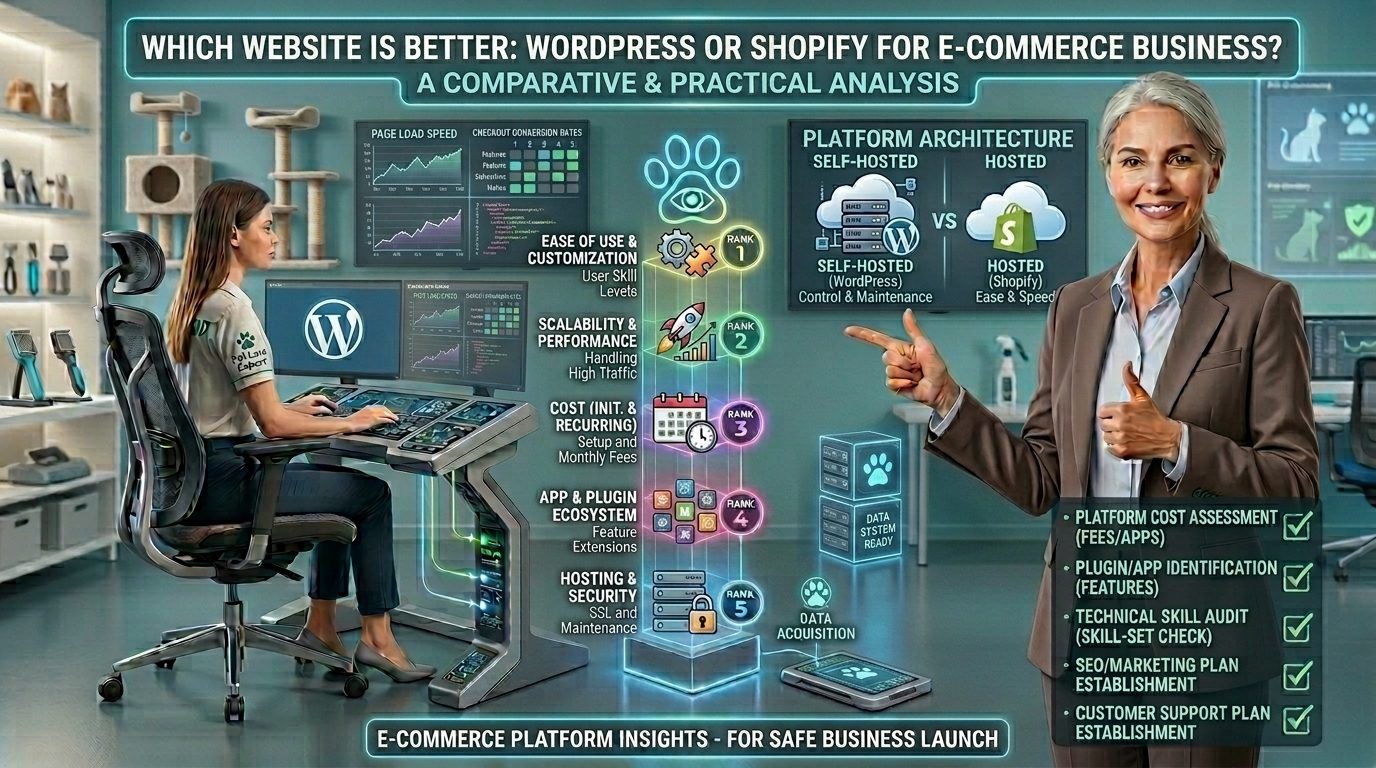
Why choose WordPress and WooCommerce for siddiquedigital.com?
- Ownership: Unlike hosted platforms that lock you into subscription fees and charge transaction commissions, WordPress is open-source. You own your data entirely.
- WooCommerce: Powers over 25% of all online stores globally. It transforms a standard WordPress blog into a fully functional, robust e-commerce powerhouse.
- SEO Supremacy: WordPress is built from the ground up to be search-engine-friendly, giving you an unfair advantage in Google search rankings.
Part 2: Securing Domain Name and High-Performance Hosting
Your website needs a home on the internet. Choosing the right hosting provider ensures your store loads lightning-fast for visitors across Dhaka, Chattogram, Sylhet, and beyond.
1. Domain Registration
Your domain (siddiquedigital.com) should be:
- Short and Memorable: Easy to spell and type on mobile keypads.
- Brandable: Avoid stuffing keywords awkwardly into the domain name.
- TLD Choice: While
.com.bdis popular locally,.comprovides global credibility and authority.
2. Selecting Web Hosting
For WooCommerce stores, avoid cheap shared hosting that causes slow loading times during traffic spikes. Look for hosts offering:
- NVMe SSD Storage: For ultra-fast database queries and product page loading.
- Free SSL Certificate: Essential for security and HTTPS ranking signals.
- Good Server Uptime: 99.9% uptime guarantee.
- Local or International Hosts: You can use international giants (like SiteGround, Cloudways, or Hostinger) or reliable local Bangladeshi hosting providers equipped with LiteSpeed web servers and localized support.
Part 3: Installing WordPress and Setting Up WooCommerce
Once your hosting account is active and connected to your domain, let’s install the engine of your website.
1. One-Click WordPress Installation
Most modern web hosts provide a 1-click installer (like Softaculous).
- Log into your hosting control panel (cPanel or hPanel).
- Navigate to WordPress Installer.
- Fill in your site details (
siddiquedigital.com), admin username, secure password, and administrator email. - Click Install. Within 30 seconds, your WordPress site is live!
2. Installing and Configuring WooCommerce
- Log into your WordPress dashboard (
[siddiquedigital.com/wp-admin](https://siddiquedigital.com/wp-admin)). - Go to Plugins > Add New.
- Search for WooCommerce, click Install Now, and then Activate.
- Follow the WooCommerce Setup Wizard:
- Store Location: Select Bangladesh (Dhaka or your respective district).
- Currency: Choose Bangladeshi Taka (BDT – ৳) or US Dollar (USD) depending on your target audience.
- Product Types: Select whether you are selling physical items, downloads, or both.
Part 4: Designing and Structuring Your Online Store
A clean, responsive, and trustworthy design drastically improves conversion rates. Over 85% of shoppers in Bangladesh browse via mobile phones, so mobile responsiveness is non-negotiable.
1. Choosing an E-Commerce Theme
Select a lightweight, fast, and WooCommerce-optimized theme:
- Astra or GeneratePress: Incredibly fast, highly customizable, and SEO-friendly.
- Kadence WP: Excellent header/footer builder and pre-built e-commerce templates.
- Storefront: The official WooCommerce theme, clean and reliable.
2. Essential Pages Every E-Commerce Store Needs
Create and publish these core pages via Pages > Add New:
- Home Page: Showcases hero banners, featured products, categories, trust badges, and reviews.
- Shop / Products Page: Displays your catalog with sorting and filtering options.
- Cart Page: Lists selected items and coupon code inputs.
- Checkout Page: Streamlined form for billing, shipping, and payment selection.
- My Account: Allows customers to track orders, view download links, and manage addresses.
- Contact Us & Policies: Refund policy, terms of service, privacy policy, and customer support hotline/WhatsApp widget.
Part 5: Adding Products and Inventory Management
Adding products correctly ensures they display beautifully and rank in Google search results.
1. Step-by-Step Product Addition
- Go to Products > Add New.
- Product Title & Description: Write a compelling, detailed product title and a rich description highlighting features, benefits, specifications, and warranty details.
- Product Data Box:
- Simple Product: Standard single-item product with a fixed price.
- Variable Product: Items with options like Size (S, M, L) or Color (Red, Blue).
- Inventory SKU: Assign unique stock keeping units to track inventory.
- Product Short Description: A punchy summary appearing right next to the “Add to Cart” button.
- Product Images: Upload high-resolution, compressed primary product images and gallery photos. Always add descriptive Alt Text for SEO.
- Product Categories & Tags: Organize items logically (e.g., Electronics > Smartphones).
Part 6: Integrating Bangladeshi Payment Gateways & Shipping
To succeed in e-commerce in Bangladesh, your store must support local payment methods and reliable delivery networks.
1. Integrating Payment Gateways
While international stores rely on Stripe or PayPal, Bangladeshi consumers prefer local options:
- Mobile Financial Services (MFS): bKash, Nagad, Rocket integration via local payment gateway aggregators.
- Debit / Credit Cards: Visa, MasterCard, and local network cards (EBL, BRAC, City Bank).
- Cash on Delivery (COD): Still the dominant payment method in Bangladesh. Configure COD as a primary checkout option while encouraging digital prepaid payments via discounts.
- Popular Local Payment Gateways: SSLCommerz, Shurjopay, and AamarPay offer seamless WooCommerce plugins that integrate in minutes.
2. Setting Up Shipping Zones and Rates
Go to WooCommerce > Settings > Shipping:
- Create shipping zones (e.g., Inside Dhaka, Outside Dhaka / Chattogram / Sylhet).
- Set flat rates or weight-based shipping costs (e.g., ৳60 inside Dhaka, ৳120 outside Dhaka).
- Offer Free Shipping thresholds to incentivize higher cart values (e.g., “Free shipping on orders over ৳2,000!”).
Part 7: E-Commerce Product Reviews & Comparison Matrix
When scaling an e-commerce store on siddiquedigital.com, incorporating product reviews and comparison metrics builds immediate social proof and drives organic search traffic.
Sample E-Commerce Setup Tool & Plugin Matrix
| Plugin / Tool Category | Recommended Tool | Primary Purpose | Pricing |
| E-Commerce Engine | WooCommerce | Core online store functionality and checkout system. | Free (Open Source) |
| Page Builder | Elementor / Gutenberg | Drag-and-drop custom design for home and landing pages. | Freemium ($59/yr) |
| SEO Optimization | Rank Math Pro | On-page SEO, sitemaps, and rich product schema markup. | Freemium ($69/yr) |
| Speed & Caching | LiteSpeed Cache / WP Rocket | Speeds up database and asset delivery for mobile users. | Freemium / Paid |
| Payment Gateway | SSLCommerz / Shurjopay | Accepting bKash, Nagad, and local card payments securely. | Plugin Free / % fee |
How to Leverage Product Reviews for SEO
- Enable WooCommerce Reviews: Allow verified buyers to leave star ratings and photo reviews.
- Review Schema Markup: Using Rank Math or WooCommerce extensions automatically injects Review Schema, allowing gold star ratings to appear directly in Google search results, boosting your click-through rate (CTR) by up to 30%.
Part 8: Actionable SEO Tips to Rank Your E-Commerce Store
Getting your store online is only the beginning. Here is how to rank siddiquedigital.com on Google search results in Bangladesh:
- Optimize Product Category Descriptions: Do not leave category pages blank. Write 200–300 words of informative, keyword-rich introductory text at the top or bottom of your category pages.
- Compress All Product Images: Use plugins like ShortPixel or Imagify to convert images to WebP format. Heavy images ruin mobile loading speeds and hurt rankings.
- Internal Product Linking: Link related products on your product pages (e.g., “Customers who bought this smartphone also viewed these protective cases”).
- Fix Broken Links and 404 Errors: Regularly check Google Search Console for broken product URLs or deleted seasonal landing pages. Set up 301 redirects immediately.
- Publish Buying Guides and Blog Content: Write helpful articles like “Best Budget Smartphones in Bangladesh 2026” on your blog and link them directly to your product catalog.
Part 9: 10 Large FAQs About Building an E-Commerce Website in WordPress
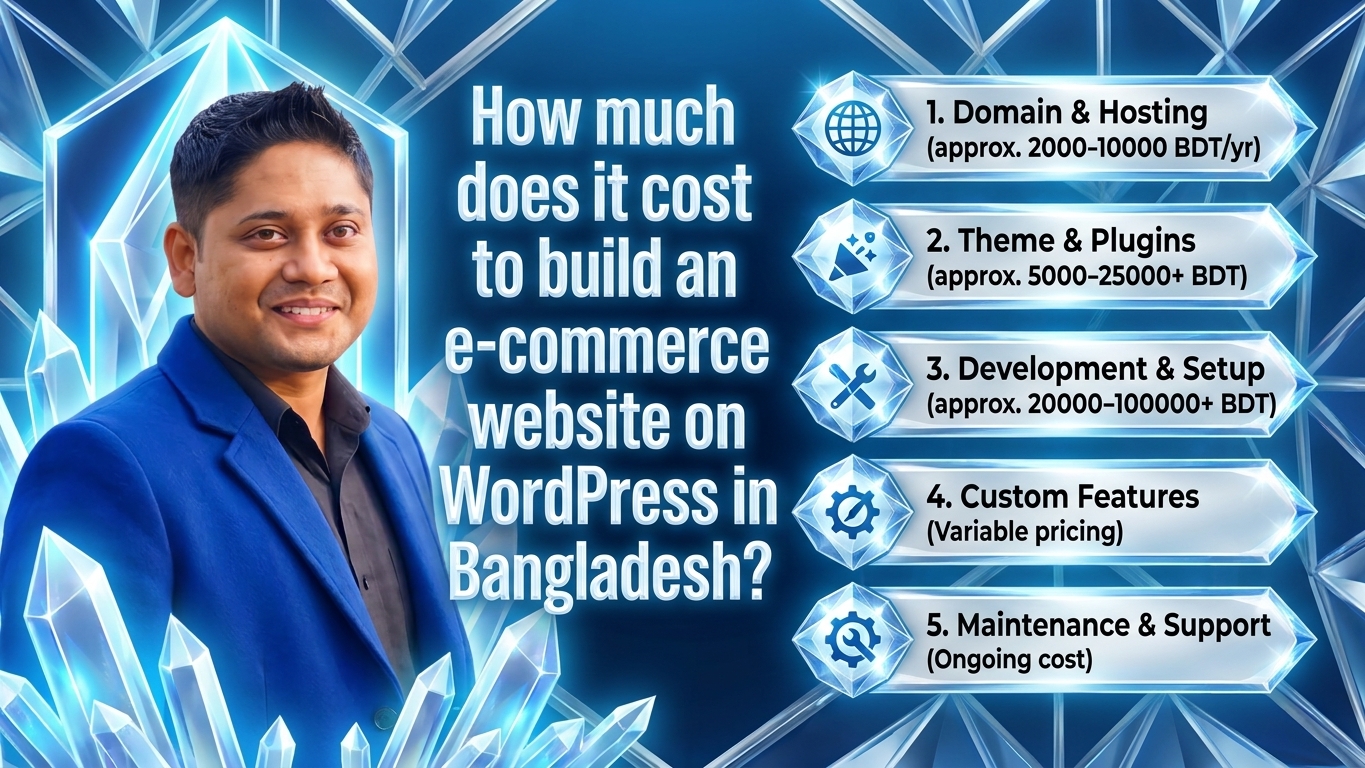
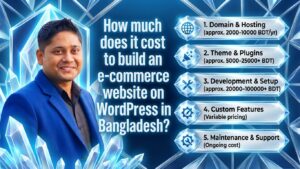
1. How much does it cost to build an e-commerce website on WordPress in Bangladesh?
Building a WordPress e-commerce site is very cost-effective. You only pay for your domain name (~৳1,400–৳1,800/year), reliable web hosting (~৳3,000–৳8,000/year), and optional premium themes or plugins. Total initial setup cost can range from ৳8,000 to ৳15,000 BDT.
2. Do I need to know coding or programming to use WordPress?
Not at all! WordPress features a visual, drag-and-drop interface. You can add products, customize colors, manage orders, and design pages completely code-free using visual editors like Elementor or Gutenberg blocks.
3. How do I accept bKash and Nagad payments on my WooCommerce store?
You can easily accept bKash, Nagad, and local cards by signing up with Bangladeshi payment gateway providers like SSLCommerz, Shurjopay, or AamarPay. They provide official WooCommerce plugins that integrate smoothly with your checkout page.
4. Is WordPress secure enough for handling customer data and transactions?
Yes, WordPress and WooCommerce are extremely secure when properly maintained. To ensure top-tier security, use an SSL certificate (https://), install a security plugin (like Wordfence or Solid Security), keep your themes and plugins updated, and use strong administrator passwords.
5. How long does it take for my e-commerce site to rank on Google?
For a new domain like siddiquedigital.com, it typically takes 3 to 6 months of consistent product optimization, technical SEO, and content creation to start seeing substantial organic traffic from Google search results in Bangladesh.
6. Can I sell both physical products and digital downloads on WooCommerce?
Yes! WooCommerce natively supports both physical and digital products. For digital goods (like e-books or software), you can configure secure automated download links that are emailed to the customer immediately upon successful payment confirmation.
7. How can I speed up my WooCommerce store for mobile users in Bangladesh?
To ensure fast loading speeds on mobile networks, use a high-performance web host, install a caching plugin (like LiteSpeed Cache), compress all product images into WebP format, and avoid installing unnecessary, heavy plugins.
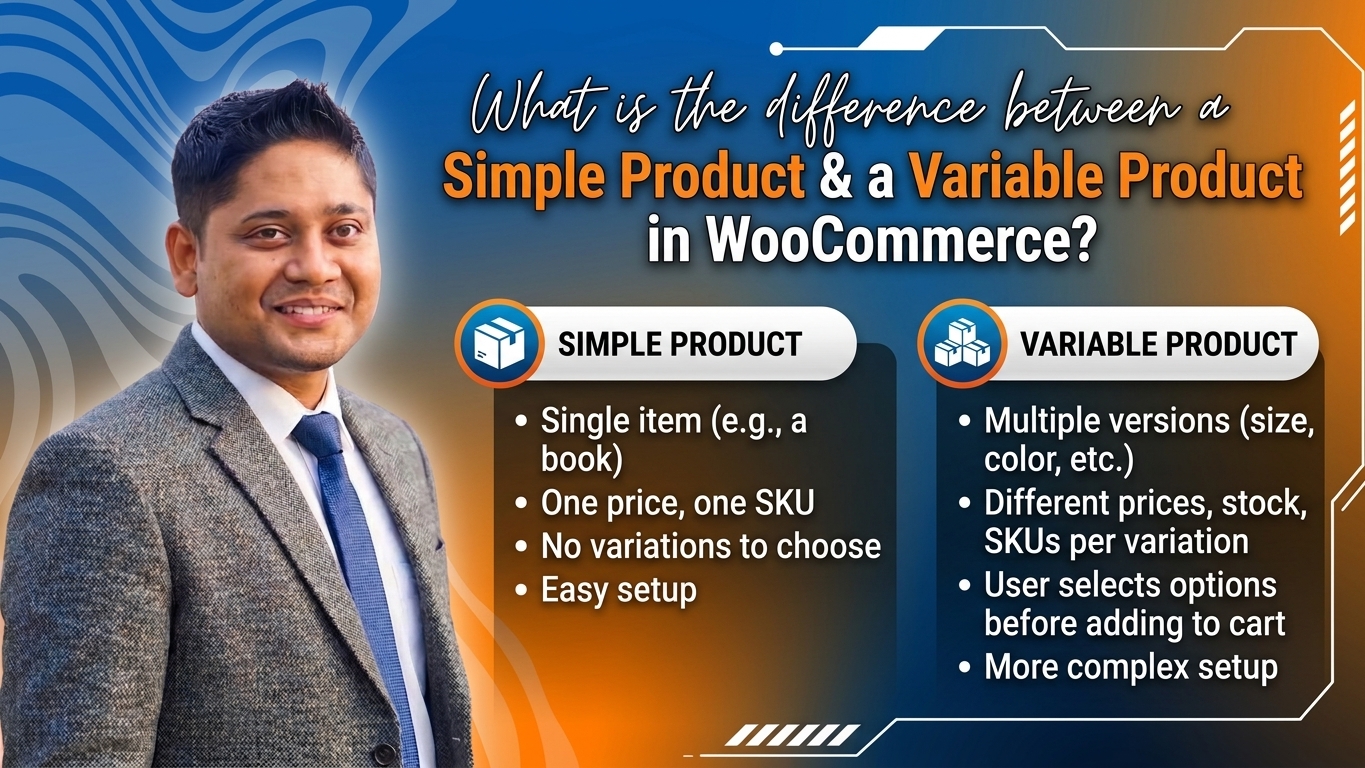
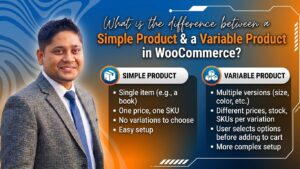
8. What is the difference between a simple product and a variable product in WooCommerce?
- Simple Product: A single item with one fixed price and stock count (e.g., a standard coffee mug).
- Variable Product: An item with multiple options, such as sizes (S, M, L) or colors (Red, Blue), where each variation can have its own price, SKU, and inventory level.
9. How do I handle shipping charges for different locations in Bangladesh?
You can set up WooCommerce Shipping Zones. Create separate rules for “Inside Dhaka” (e.g., flat rate ৳60) and “Outside Dhaka / Nationwide Delivery” (e.g., flat rate ৳120), or integrate third-party courier plugins like Pathao Courier or Steadfast Courier APIs.
10. Do I need an SEO plugin if I use WordPress?
Yes! While WordPress is SEO-friendly out of the box, installing an advanced SEO plugin like Rank Math or Yoast SEO is essential. These plugins help you optimize product titles, write meta descriptions, generate XML sitemaps, and integrate schema markup effortlessly.
Conclusion
Building a professional e-commerce website on WordPress is one of the smartest investments you can make for your business at siddiquedigital.com. By following this step-by-step blueprint—from securing fast hosting and installing WooCommerce to setting up local payment gateways, optimizing for mobile users, and executing rigorous SEO strategies—you are fully equipped to build a thriving, profitable online storefront.
Embrace the digital growth of Bangladesh, stay consistent with your product listings and content marketing, and watch your online store capture organic traffic and scale to new heights on Google search!




Post Comment